
HighLevel will answer your calls, follow up on your quotes, and book more jobs while you're working.
But the default setup is built for US real estate brokers.
Set it up using the standard guides and you'll end up with US phone numbers getting spam-flagged in Canada, invoices with no GST or HST, opt-in language breaching Canadian law, and a pipeline built for someone selling houses in Texas.
This is what to configure first if you're a trade or home-service business in Canada.
Why HighLevel Setup Is Different in Canada
The default HighLevel setup is US-first. Three things make Canada different.
Phone numbers: Canadian numbers need to be registered through a provider supporting Canadian DIDs. US numbers used for Canadian SMS get flagged as spam by Canadian carriers more often. Getting a Canadian number on day one is not optional.
CASL compliance: Canada's Anti-Spam Legislation requires express or implied consent before you send marketing messages. Your opt-in forms need specific language. Your automations need to honour unsubscribe requests. The fines for non-compliance are significant.
Tax configuration: HighLevel's invoicing defaults to no tax. Canadian trade businesses need GST at 5 percent and the applicable provincial tax. Configure this before you send a single quote.
Get these three things right before you build anything else.
Step 1: Get a Canadian Phone Number (Do This First)
Go to Settings > Phone Numbers > Buy Number. Select Canada as the country. Choose a local area code matching your market: 403 for Calgary, 604 for Vancouver, 416 for Toronto, 780 for Edmonton, 306 for Saskatchewan.
Register the number for 10DLC. This is the carrier verification system marking your number as a confirmed business sender. Without registration, your automated texts have a higher chance of being filtered by Canadian carriers.
The registration takes 3 to 5 business days. Start it on day one, not after you've built your automations.
Step 2: Configure Tax Settings
Go to Settings > Invoices > Tax Rates.
Add GST at 5 percent. Then add your provincial tax:
| Province | Tax | Rate |
|---|---|---|
| Alberta | GST only | 5% |
| British Columbia | GST + PST | 5% + 7% |
| Ontario | HST | 13% |
| Quebec | GST + QST | 5% + 9.975% |
| Manitoba | GST + RST | 5% + 7% |
| Saskatchewan | GST + PST | 5% + 6% |
| Nova Scotia | HST | 15% |
If you invoice clients in more than one province, configure each separately. A quote sent to a client in Alberta shows GST only. One in Ontario shows HST.
Get your accountant to verify this before you send client invoices. Tax misconfiguration is easy to miss and painful to fix retroactively.
Step 3: Add CASL-Compliant Opt-In Language
Every form collecting contact information and triggering automated messages needs a CASL opt-in checkbox.
The language needs to be explicit. Use this as a starting point:
"By submitting this form, you consent to receive SMS and email messages from [Business Name]. Reply STOP to unsubscribe at any time."
This goes on your website contact form, your quote request forms, and any landing pages running paid traffic. Without it, every automated message you send is technically non-compliant.
Check with a legal professional if you're running volume campaigns. For standard trade business lead capture, the checkbox approach above covers the basics.
Step 4: Build Your Trade Business Pipeline
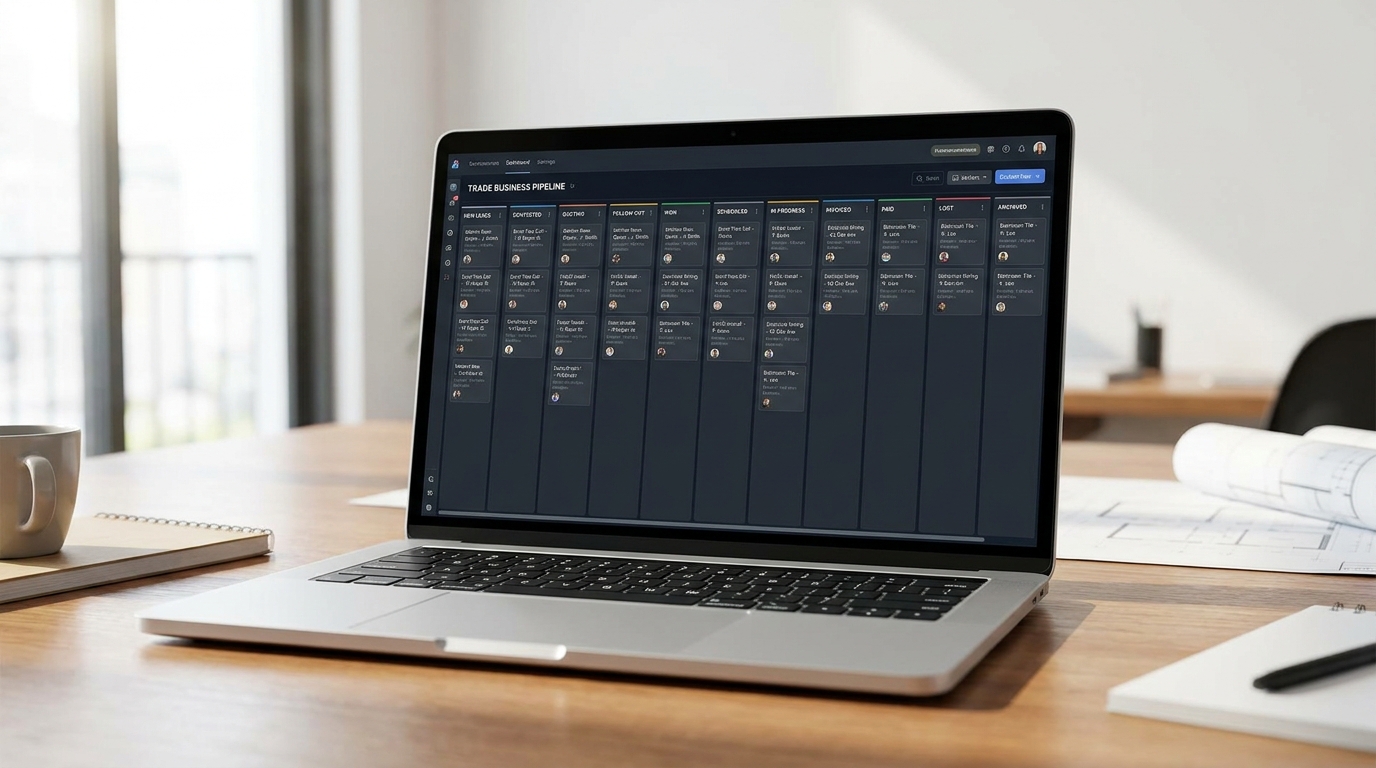
HighLevel's default pipeline is generic. Build one reflecting how trade jobs move.
Here are the stages every Canadian trade business pipeline needs:
- New Lead. Enquiry received, not yet contacted.
- Contacted. You've reached out or they've replied.
- Quote Requested. They've asked for a price.
- Site Visit Booked. You've scheduled a visit.
- Quote Sent. Proposal is out.
- Quote Follow-Up. 48+ hours without a response. Automation triggers here.
- Job Confirmed. They've accepted the quote.
- Work Scheduled. Job is booked in the calendar.
- Job Complete. Work is done. Review request automation triggers here.
- Invoice Sent. Billing is out.
- Closed Won. Paid.
That's 11 stages. It sounds like a lot. In practice, leads move through them fast, and you'll know exactly where every job sits without digging through your email.
The 3 Automations Worth Building First
Once your pipeline is set up, build these three automations before anything else.
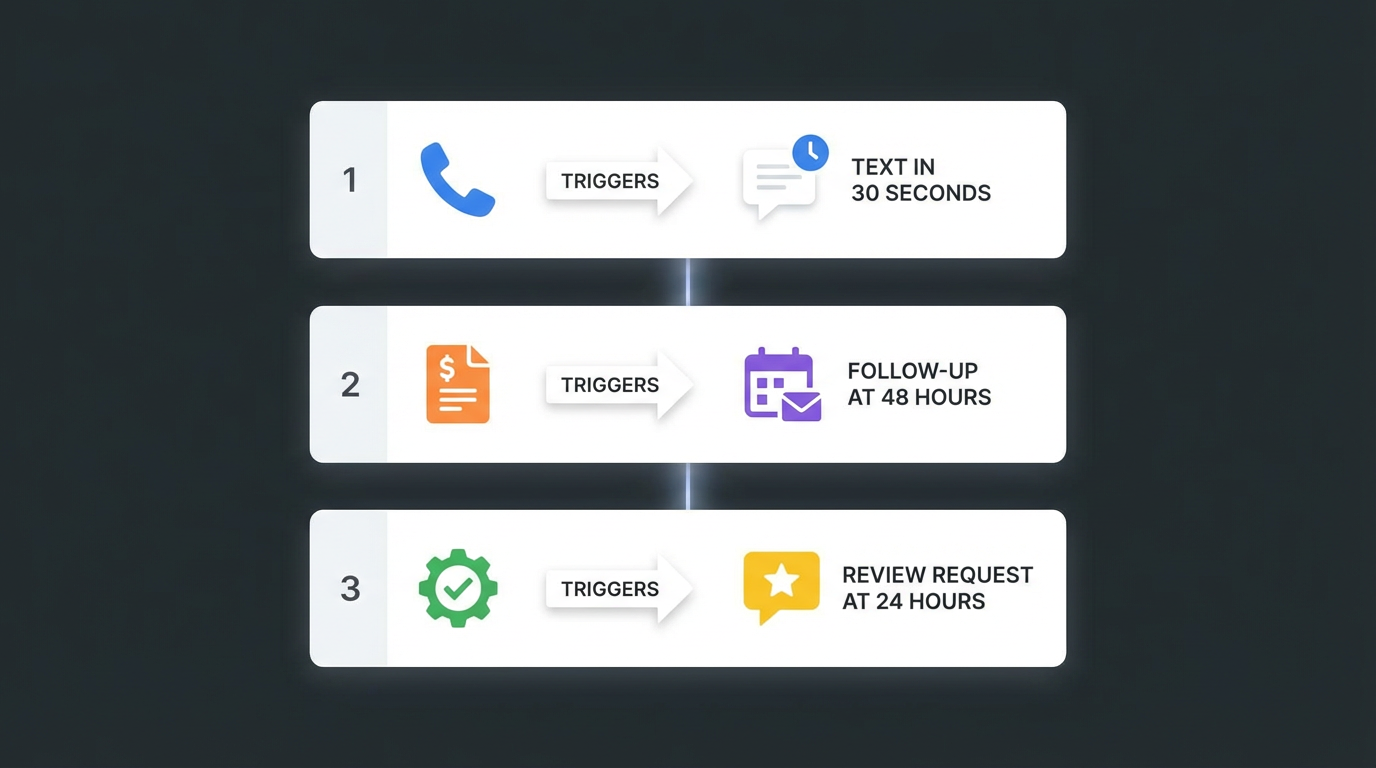
Missed call text back: When a call to your number goes unanswered, trigger an SMS within 30 seconds. Template: "Hi! You tried to reach [Business Name]. I'm on a job right now. What's a good time to call you back?" This single automation recaptures a meaningful percentage of lost leads without any ongoing work from you.
48-hour quote follow-up: When a lead moves to the Quote Sent stage, set a 48-hour delay and fire an SMS. Template: "Hi [Name], checking in on the quote I sent [day]. Happy to answer questions. [Your name] from [Business Name]." Add a second trigger at 72 hours if there's no reply. You'll close 20 to 30 percent more of your quotes.
Post-job review request: When a job moves to Job Complete, trigger a text 24 hours later. Template: "Hi [Name], thanks for having us out. If you were happy with the work, a Google review means everything to us. Here's the link: [Google Review URL]." Reviews compound. Competitors who don't ask for them don't get them.
Setting up HighLevel yourself and want a second set of eyes? Get a free video review of your current account. I'll tell you exactly what's misconfigured.
Get Your Free Video Review →Common Setup Mistakes to Avoid
Using a US number for Canadian clients. Already covered, but worth repeating: your automated texts will be filtered as spam. Get a Canadian number before building anything.
Not testing automations before going live. Every new automation needs a test run using your own mobile number before it fires on real leads. Send yourself a test enquiry. Walk through the entire sequence. Broken automations with wrong names or dead links lose trust fast.
Skipping pipeline stages. It's tempting to simplify to five stages. Don't. The data from a detailed pipeline shows you exactly where leads drop off. This is how you diagnose and fix problems.
Building too much at once. HighLevel has hundreds of features. New users get overwhelmed and build half of ten things instead of finishing three. Get your phone number set up, your pipeline built, and your three automations running. Master those, then expand.
Ignoring CASL. This one is worth restating. Canadian privacy law applies to your automated messages. Set up opt-in correctly before you scale your outreach.
When to Hire Someone to Set It Up
If you're spending more than four hours a week on HighLevel configuration and nothing is working yet, stop and get help.
The platform is deep. The documentation is US-focused. Every hour you spend watching setup tutorials is an hour you're not running jobs.
A proper done-for-you HighLevel setup for a Canadian trade business takes 5 to 7 days when someone who has done it before handles it. You get a working system without the learning curve.
The Thryvia package is a done-for-you HighLevel setup built for Canadian trade and home-service businesses. Phone configured, CASL set up, pipeline built, three automations live. All in under a week.
See Thryvia →Already in HighLevel and not getting results? Get a free video review and I'll show you exactly what to fix.
Get Your Free Video Review →Related reading: